BUG REPORT
Art Pixel Workshop
Players who enjoyed Art Pixel Workshop also loved these











Hot titles being played across the platform
 HOT
 HOT
 HOT
 HOT
 HOT
 HOT
 HOT
 HOT
 HOT
 HOT
 HOT
 HOT
 HOT
 HOT
 HOT
 HOT
 HOT
 HOT
 HOT
 HOT
Pick another awesome game and continue playing











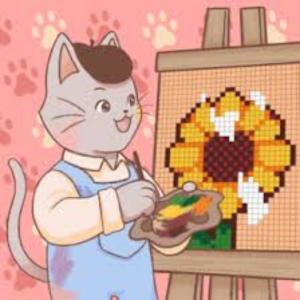
Remember those lazy afternoons spent with a box of pixel beads and a half-finished pattern? Art Pixel Workshop bottles that cozy, satisfying feeling and turns it into a browser game you can play in seconds. The premise is simple: you're given a blank grid and a reference picture, and your job is to fill each cell with the right colored pixel until the image snaps into focus. It sounds easy — until you're 200 squares deep into a detailed butterfly and second-guessing your color choices.
This is exactly the kind of pick-up-and-play title that keeps people coming back to g+ unblocked games during study breaks or slow afternoons at work. It's relaxing, it's creative, and there's no timer screaming at you. Whether you're into fashion designs, cute animals, or retro 8-bit scenes, there's a pattern waiting for your personal touch.
Your objective is straightforward: replicate the target image by placing the correct color in every grid cell. Each level shows you a small preview of the finished artwork, and you select colors from a palette to fill in the blanks. Some versions include a "ghost" overlay that faintly shows where each color belongs, while harder levels make you rely on your own eye.
Desktop controls: Use your mouse to click a color from the palette, then click or drag across cells to paint them. Most builds support click-and-drag for fast filling, which is a lifesaver on large canvases.
Mobile controls: Tap to select a color and tap individual cells to fill them. Pinch or use the zoom buttons if the grid feels cramped on a smaller screen. The interface scales well, so phones and tablets handle it just fine.
Complete the pattern and the game rewards you with a satisfying reveal animation, plus a score or star rating based on accuracy and speed.
1. Work from the outside in. Start with the border or the largest single-color regions. Outlines anchor the whole image and make it much easier to judge where interior colors go.
2. Batch your colors. Instead of switching palettes every few cells, fill every instance of one color before moving to the next. It's faster and reduces misclicks.
3. Use the ghost overlay wisely. If hints are limited, save them for the final 20% of the grid where small errors are hardest to spot. Blowing all your hints early is a rookie mistake.
Yes — it's a free browser game. You'll find it on portals like unblocked games g+ and unblocked games 6x, where no download or account is required.
Absolutely. It loads fast and runs quietly in a browser tab, which is why it's a staple on unblocked games 77 and similar networks. Just keep an eye out for the teacher.
Most versions auto-save your current pattern in your browser's local storage. Clearing your cache will wipe it, so finish those big designs before you do any cleanup.