BUG REPORT
Craftomation 1

Players who enjoyed Craftomation 1 also loved these




















Hot titles being played across the platform
 HOT
 HOT
 HOT
 HOT
 HOT
 HOT
 HOT
 HOT
 HOT
 HOT
 HOT
 HOT
 HOT
 HOT
 HOT
 HOT
 HOT
 HOT
 HOT
 HOT
Pick another awesome game and continue playing











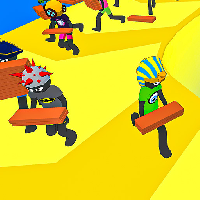




Craftomation 1 is the kind of puzzle game that sneaks up on you. It looks simple — gather resources, build stuff, survive — but within five minutes you're juggling conveyor belts, power grids, and a robot army that keeps wandering into the wrong spot. This is automation puzzling at its purest, and it's exactly why the game became a staple on unblocked game portals everywhere.
The premise: you're dropped onto a tiny procedurally generated island with nothing but a crash-landed robot and a handful of raw materials. Your job is to craft tools, automate resource collection, and expand your operation until the island runs itself. The twist? Every machine you build needs to be placed, powered, and connected intelligently. One bad belt layout and your whole factory grinds to a halt.
It's popular for the same reason Factorio and Shapez are: that satisfying "click" when a messy chain of machines finally runs smoothly. But Craftomation 1 strips it down to bite-sized sessions, which makes it perfect for classroom games unblocked breaks or quick lunchtime runs.
Your objective in each level is to complete a set of crafting goals — usually producing a specific item or reaching a resource quota. You'll chop trees, mine ore, smelt ingots, and eventually build automated harvesters and conveyor belts that do the work for you.
Movement is top-down and simple. On desktop, use WASD or arrow keys to walk, E or left-click to interact with objects and machines, and mouse drag to place buildings or rotate conveyor belts. The inventory opens with Tab, and crafting recipes are accessible from the side panel.
On mobile, a virtual joystick appears in the bottom-left corner, and tapping objects handles interaction. Building placement uses tap-and-drag, which takes a minute to get used to but works fine once you're in the flow. The game auto-saves, so you can hop between unblocked games 76 tabs without losing progress.
1. Plan your layout before you build. Don't drop machines randomly. Sketch a mental grid: raw resource node → harvester → belt → smelter → storage. Leaving space between machines saves you from tearing everything down later.
2. Prioritize power early. A beautiful factory with no power is just expensive decoration. Get a generator running before you scale up production, otherwise your bots will sit idle and your quotas will stall.
3. Use bots for hauling, not crafting. New players assign robots to craft tasks and wonder why nothing gets done. Bots are fastest at moving items between machines — let the machines handle the crafting and keep your bots on logistics duty.
Yes. It's a browser-based puzzle game, so you can play it free on most unblocked game sites without downloads, accounts, or payments.
Absolutely. It runs in any modern browser and doesn't require Flash or plugins, which makes it a reliable pick for classroom games unblocked setups.
Most versions auto-save locally in your browser. If you clear your cache or switch devices, though, you may lose your factory — so finish a level before closing the tab.