

BUG REPORT
Gswitch 2
Players who enjoyed Gswitch 2 also loved these
Hot titles being played across the platform
 HOT
 HOT
 HOT
 HOT
 HOT
 HOT
 HOT
 HOT
 HOT
 HOT
 HOT
 HOT
 HOT
 HOT
 HOT
 HOT
 HOT
 HOT
 HOT
 HOT
Pick another awesome game and continue playing















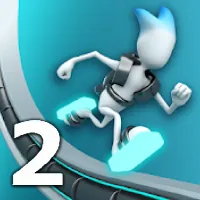
Gswitch 2 takes the simple "run to the right" formula and flips it — literally. You control a stick figure sprinting through a neon-drenched facility where the floor and ceiling are both fair game. The twist? Gravity is a suggestion, not a rule. One tap and you're walking on the ceiling, dodging spikes that used to be harmless, and threading through gaps that only exist when you're upside down. It's the kind of game that feels impossible for the first thirty seconds and then absolutely addictive once your brain clicks into the rhythm. That "one more try" pull is exactly why Gswitch 2 has become a staple on games unblocked cool math and other free browser portals — it loads instantly, needs zero downloads, and runs smoothly on school Chromebooks.
Your objective is straightforward: survive as long as possible and cover maximum distance. The level scrolls automatically, so you never stop moving forward. Your only job is to switch gravity at the right moment to avoid red obstacles, spikes, and laser walls. Touch anything deadly and you restart from the beginning — or from a checkpoint if you've unlocked one.
Desktop controls: Press the Spacebar, the Up Arrow, or click your mouse to flip gravity. That's it. No complicated key combos, no WASD gymnastics.
Mobile controls: Simply tap anywhere on the screen to switch gravity. The touch response is tight, which matters a lot when you're chaining rapid flips mid-air.
The real skill isn't the button — it's timing. You'll learn to read the level a few steps ahead, spotting the exact pixel where a flip keeps you safe instead of slamming you into a spike.
1. Look ahead, not at your character. Beginners stare at the stick figure and react too late. Train your eyes to scan the right side of the screen so you're planning flips two or three obstacles in advance.
2. Flip early, not on the edge. Waiting until the last millisecond feels cool but kills runs. Flipping slightly before an obstacle gives you a safety buffer for reaction errors.
3. Master the mid-air double flip. Some gaps require you to switch, then switch back before landing. Practice this rhythm in early levels so it becomes muscle memory when the speed ramps up.
Yes, completely free. It's a browser-based HTML5 game, so you can jump in without paying, downloading, or creating an account — perfect for quick sessions during a break.
Absolutely. It's one of the most popular unblocked games for school because it loads fast and doesn't require Flash or heavy resources. Just find a trusted unblocked games site and you're running in seconds.
Yes. The tap-to-flip control scheme is built for touchscreens, and it plays just as well on mobile as it does on desktop. No controller or keyboard needed.