BUG REPORT
Sides Of Gravity
Players who enjoyed Sides Of Gravity also loved these




















Hot titles being played across the platform
 HOT
 HOT
 HOT
 HOT
 HOT
 HOT
 HOT
 HOT
 HOT
 HOT
 HOT
 HOT
 HOT
 HOT
 HOT
 HOT
 HOT
 HOT
 HOT
 HOT
Pick another awesome game and continue playing

















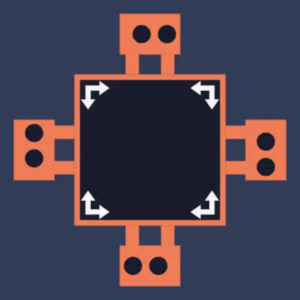
Most puzzle games ask you to move a character. Sides Of Gravity asks you to rewrite the laws of physics around them. In this clever brain-teaser, you control the direction of gravity itself — flipping it left, right, up, or down to send a rolling orb through mazes packed with spikes, gaps, and locked doors. One wrong tap and your little sphere plummets into the void.
It's the kind of game that hooks you in seconds and refuses to let go. The minimalist neon visuals keep things clean, while the difficulty curve sneaks up on you fast. That's exactly why it's become a staple on g+ unblocked games portals — it loads instantly, runs on almost any device, and delivers that "just one more level" dopamine hit that makes it a favorite for quick sessions during a free period.
Your objective is simple on paper: guide the orb from its starting point to the glowing exit portal. The catch? You never move the orb directly. Instead, you rotate gravity, and the orb obeys — rolling, falling, and sliding until it hits a wall or a hazard.
Each level is a puzzle box of walls, spikes, moving platforms, and sometimes gravity-locked zones. You'll need to chain your flips in the right order, because momentum carries over. Flip too early and you'll overshoot; flip too late and you're skewered.
Because it's HTML5-based, it works flawlessly as one of the games unblocked experiences you can fire up on a school Chromebook or library computer without downloads or installs.
1. Think two flips ahead. Since the orb keeps its momentum, plan your next gravity change before you make the current one. Visualize the full path, not just the immediate move.
2. Use walls as brakes. Slamming into a wall stops the orb dead. Use corners to kill momentum and line up precise shots into narrow gaps.
3. Slow down on spike rooms. Levels with dense spikes usually have a single correct sequence. Pause, trace the route mentally, then execute the flips in one clean run.
Yes, it's completely free and playable directly in your browser. No downloads, accounts, or payments required.
Absolutely. It's a lightweight HTML5 title often found on unblocked games 6x and similar portals, so it typically runs on Chromebooks and school desktops without issues.
Yes. The swipe controls are responsive, making it just as playable on a phone or tablet as on desktop.